
Creating content is hard work and can be time-consuming, but the right tools can make you more productive. Why take a 24-hour horse ride when an automobile can take you to the same destination in 4 hours?
You can work smarter and faster by leveraging content creation tools. But there are so many tools out there, that it gets confusing knowing which to use. The good news is that you don’t have to try them all.
I have curated my top writing tools for content creators. These tools can help your writing, editing, style, content planning, and research.
Criteria for Choosing Writing Tools
While almost all tools can enhance your work, not all are the same. The top writing tools for content creators should be easy to use and have essential features for content creation.
They should integrate well with other tools and platforms and offer good customer support. Besides, affordability is important, especially if you’re on a tight budget.
Top Writing Tools for Content Creators
1. Editing and Proofreading
These tools will help you with sentence structure and style.

Grammarly
Grammarly is one of the most popular writing tools for content creation. It can catch grammatical errors, and writing style issues, and even detect plagiarism. Grammarly’s suggestions improve the clarity and readability of your writing.
It has a free basic plan and a premium plan. Be careful with the suggestions, though, because they can sometimes alter your writing tone.

Hemingway Editor
This is my go-to tool for analyzing readability. Hemingway Editor makes your writing clear; it highlights hard-to-read sentences, passive voice, and adverbs. It provides a readability score, which indicates how easily readers can understand your writing.
There’s a decent free plan as well as a paid version, but Hemingway doesn’t check grammar and has no mobile app.
Also Read: 10 Simple Strategies to Improve Readability and Boost Engagement
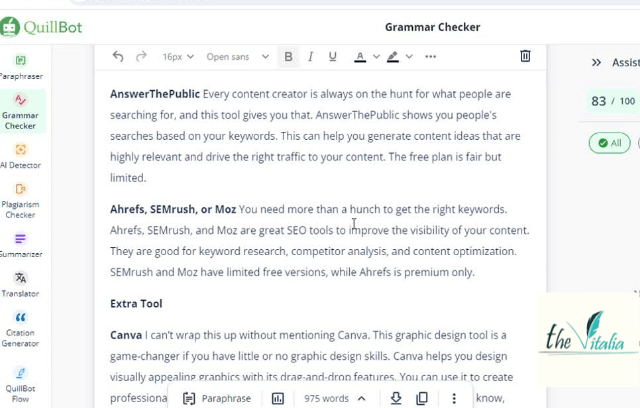
Quillbot
QuillBot is an AI tool that helps improve sentence clarity and style. It can paraphrase and enhance your writing, but edit with caution, as it sometimes lacks a natural flow.
QuillBot has a decent free plan and many forms of English (British, American, Canadian, and Australian).
ProWritingAid
This writing tool checks spelling, grammar, and punctuation. ProWritingAid suggests easier word or phrase choices and also detects plagiarism.
It has a limited free version, and it can take time to process long documents. In addition, the suggestions are not always accurate, especially for biological or non-English words.
Learn More About Editing Tips to Polish Your Content to Perfection
2. Writing Tools
Scrivener
This content generation tool is great for long and complex projects like books and research papers. Scrivener helps you draft, organize, and structure your documents into parts and chapters. It supports many file formats and offers a distraction-free writing mode.
However, it’s a paid tool with a steep learning curve and is best suited for long-form content.
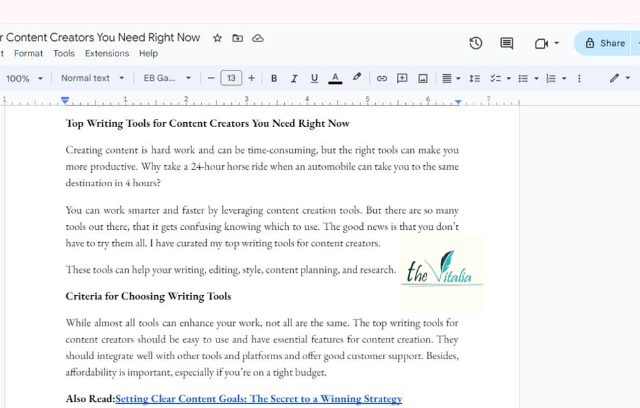
Google Docs
Google Docs is a cloud-based word processing tool that every content creator should use. It’s like MS Word but with key features that allow real-time collaboration on documents.
With Google Docs, you can access your documents on many devices, and it’s a good place to store and share your portfolio.
But, you must have a Gmail account to use it, and it has limited format options and offline access.
Evernote
If you struggle with organizing your ideas, files, and documents, you need Evernote. This note-taking app keeps your drafts and research material in one place with tags for easy retrieval.
It also supports text, images, and audio and can synchronize across devices. There’s a fair-free plan and a more robust premium plan.
3. Content Planning and Research
Trello
Trello is a project management tool for organizing and planning content workflow. It has customizable boards and cards that help you stay on top of your tasks.
Trello assists in scheduling and tracking progress and is easy to use, with both free and premium plans available.
CoSchedule Headline Analyzer
This tool provides data-driven analysis of headlines. CoSchedule Headline Analyzer assesses your headlines and scores how effective they will be. This helps increase your content’s click-through rates and engagement.
But, it focuses solely on headlines and has a very limited free plan.
Also Read:Master the Craft of Writing Headlines
BuzzSumo
Searching for the right topics is tasking, and you should grab any help you can get. BuzzSumo can help you find trendy topics for content creation. It identifies high-performing content that can inspire your content strategy.
There is a free plan, but to get the best out of it, you’ll need the paid version.
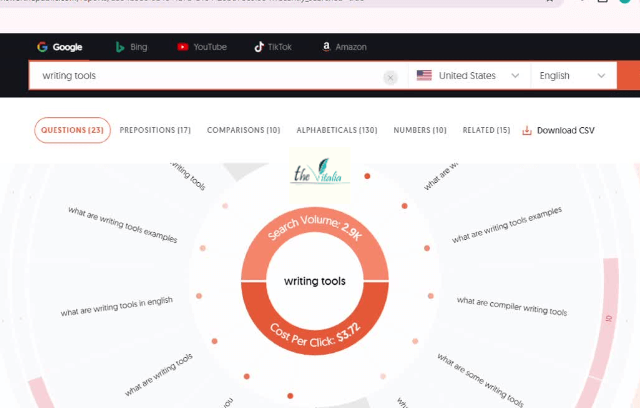
AnswerThePublic
Every content creator is always on the hunt for what people are searching for, and this tool gives you that. AnswerThePublic shows you people’s searches based on your keywords. This can help you generate highly relevant content ideas and drive the right traffic to your content. The free plan is fair but limited.
Ahrefs, SEMrush, or Moz
You need more than a hunch to get the right keywords. Ahrefs, Semrush, and Moz are great SEO tools to improve the visibility of your content. They are good for keyword research, competitor analysis, and content optimization.
SEMrush and Moz have limited free versions, while Ahrefs is premium only.
Find More on SEO Content Writing Tips for Beginners
Extra Tool
Canva
I can’t wrap this up without mentioning Canva. This graphic design tool is a game-changer if you have little or no graphic design skills.
Canva helps you design visually appealing graphics with its drag-and-drop features. You can use it to create professional-looking images, infographics, and videos with this tool. As you know, visuals increase content engagement and shareability.
It has a fair free plan and a pro version with a more extensive library.
Conclusion
These top writing tools for content creators can significantly enhance your tasks and content. From research to the writing process and editing, they offer great assistance.
Use them to improve your workflow, but remember they can only assist; you still have to be in charge.
Did you find this helpful? I’ve written other articles on content creation processes that might interest you.
And if you need help with your blog or articles, feel free to reach out. I specialize in writing well-researched, informative, and engaging SEO content.


Leave a comment