
It’s frustrating to pour so much energy into creating content only for it to always get scrolled past.
It’s not news that most people don’t read but scan to know the content’s worth.
This happens for several reasons: most people scroll on mobile, attention span is shorter, and people are busy.
Still in the midst of all these, people still consume content; you only need to make yours scannable.
Provide value that your audience can quickly grasp despite the distractions around them.
In this post, you will learn how to write for fast scanners, whether for social media, blog posts, newsletters or other forms of content.
Content Tips for Fast Scanners
1. Have an Understanding of How People Read Online
First things first, know how people read online. It will help you understand how to write for today’s readers.
These are common patterns people typically use to scan online content.
F-shaped pattern
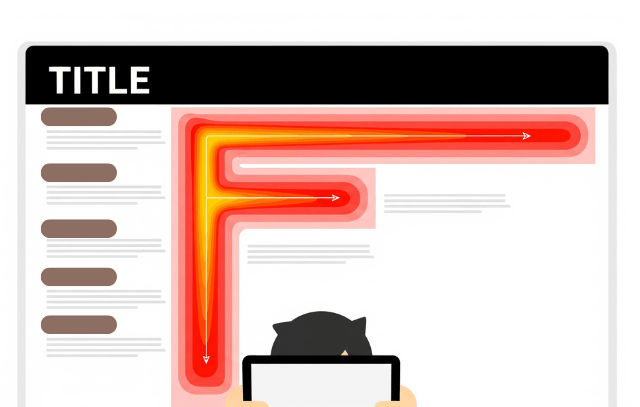
Most people scan titles, subheadings and then the first few sentences to get the most important information.
You probably do the same. I do as well. Readers do this to determine if they want to read deeper or skip.
Z-Pattern
Here, people scan across the content top, then diagonally to the bottom left and end horizontally across the bottom.
This gives a clear visual flow and the call to action. It’s common to do this on landing pages.
Layer-Cake Pattern
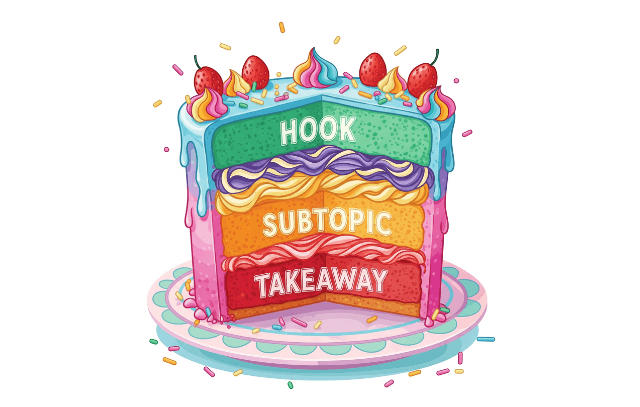
This is when viewers check the heading and subheadings but skip most of the content body.
They want to quickly understand the main points and any specific sections that interest them.
It’s a regular pattern for long-form content.
Spotted Pattern
Viewers use this pattern to spot something specific, like a link, price, number or bullet point.
This pattern is often used for social media, search results and any content with particular data.
Observe your scanning habit when you next scroll.
2. Craft Headlines and Subheadings That Do the Heavy Lifting
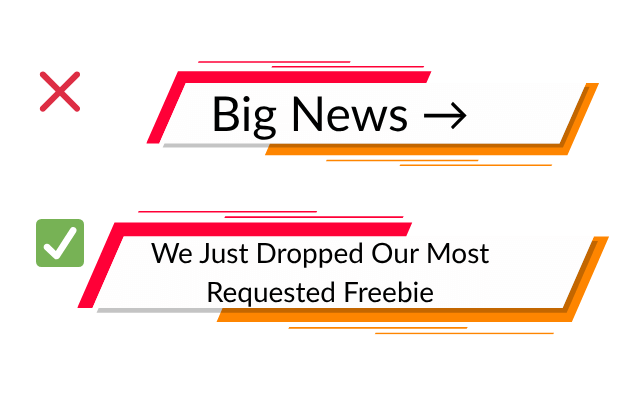
You probably know that besides headings, subheadings are important for fast readers. Here’s what you can do.
- For long content, make each section a mini summary.
- Ensure your headline is specific
- Make your subheadings skim-friendly
- Create curiosity or provide value with your subtitles.
You can apply this to captions, email subject lines, and other similar contexts.
Also Read: Master the Craft of Writing Headlines
3. Make Your Paragraphs and Sentences Concise
This content formatting tip applies to today’s readers.
- Avoid long paragraphs; keep to 2–4 lines to make your content easier to read on mobile devices.
- Mix short sentences with medium ones, but avoid complex or hard-to-read sentences.
- Always break your message into bullets or numbered lists for quick scanning.
- Bold the key terms you want to emphasise.
Ensure that your content is easy to scan and understand.
Check out our post on formatting tips to boost your content’s readability.
4. For Text-Only Posts, Use Visual Breaks
Visuals enhance the appeal of content. They also provide context, break text walls and lines and can aid in comprehension.
Add visual pauses like images, videos, icons, emojis (if appropriate) to your content.
But won’t using icons and emojis make my content look like AI generated it? That’s a valid question because AI-generated content has loads of that.
However, not every post with icons and emojis is AI-generated.
For instance, I often add them to my social media posts to break lines and enhance workflow.
Use this as a guide:
- Add emojis for captions (where applicable and informal)
- Use icons for blogs or carousels
- Screenshots are ideal for tutorials
Your visuals should match your brand voice across all platforms and content types.
Learn more about the benefits of visual content and the role of AI in content creation.
5. Structure Content Like a Ladder
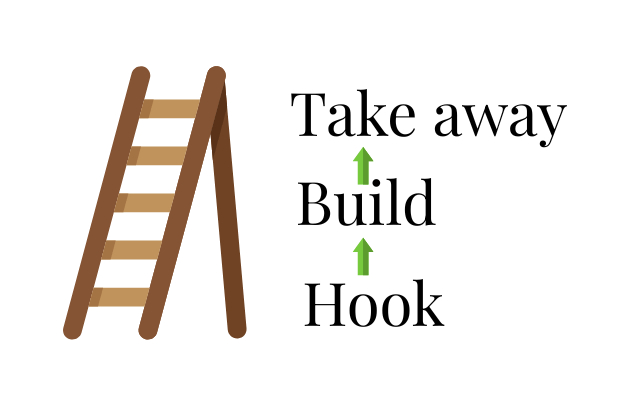
Many people make the mistake of structuring their message like a wall. Unless the wall has steps, your audience can’t follow. Do this instead:
- Begin with a simple idea.
- Then add a layer of detail, context, or story to make it relatable.
- Conclude with a takeaway which summarises your main point.
See This Ladder Example
Hook: You only have the first few seconds to catch attention.
Build: Create a clear introduction to the main section and develop your message effectively. That’s good formatting, and it can buy you some of your audience’s time.
Takeaway: Recap the objective of your content.
Ask yourself, if someone stops reading your content early, will they still learn anything?
The ladder structure works for different content types.
6. End Your Content with Purpose
While not as important as the first sentence, your last sentence also matters.
It’s your opportunity to guide your audience to take their next step – CTA, use it well.
You can provide a suggestion, ask a question, or offer a link to the next step.
Examples
- “Which of these strategies will you try?”
- “Want to see this in detail? Check out [related video].”
- “Download the free SEO checklist here.”
Remember, you don’t always have to sell; you can encourage reflection or invite them to share your post or thoughts.
Avoid overusing the same CTA; rotate your call-to-action (CTA) endings to keep it fresh.
Related Post: How to Write Effective Calls to Action (CTAs)
Skimmable is not Shallow
Creating scannable content doesn’t mean creating shallow content.
Your audience is busy, scrolling on their phones and needs content that fits into their overloaded lifestyle.
The goal is to provide value in a format that is easy to skim and digest.
Getting it right is not so easy, but it’s achievable with practice.
What changes will you make to your next content to make it more accessible to scanners?


Leave a comment